Inklaim Features

Features

Everything you need to prepare patent drawings

Inklaim is web software from an Italian start-up founded in Turin that prepares draft patent drawings, checked against EPO, UIBM, USPTO, PCT, CNIPA and KIPO rules, from 3D CAD models (STEP/IGES), DXF or vector PDF files, photos of an object, sketches and claims.

Inklaim covers the whole workflow for the drawings of a patent application: you upload the 3D model, the technical drawing, the sketch or the claims; you get the figures, lay them out on sheets, check them and export them for the office and language you need.

The geometry always comes from your files. AI is optional: it works on texts and proposes numerals and checks for you to confirm, never geometry.

  1. UploadSTEP, IGES, BREP, DXF, vector PDF, sketch or photo, Word.
  2. SimplifyRemove the details the figure does not need.
  3. Lay outSeveral views per sheet, at the same scale, with the numerals from the text.
  4. CheckConsistency between figures and text, compliance with the office rules.
  5. ExportPDF for filing, SVG, layered DXF, by office and language.

The five areas

The five areas patent draftspersons asked for

Each area has its own in-depth page, with screenshots of the app.

01

Simplifying figures

  • Full, Medium or Essential level of detail on the 3D model
  • Removes holes, chamfers, fillets, threads, screws and washers
  • DXF and PDF without dimensions, texts, title block, center lines and hatching
  • “Select identical”: every copy of an object in one click
Simplify patent figures →
02

Sheets from 3D models

  • Orthographic views, axonometric view, exploded view, hidden lines
  • Sections A-A with the section line, detail views from 2× to 5×
  • Several views per sheet, at the same scale
Patent drawings from STEP and IGES →
03

Consistency check

  • Same numeral, same part, in every figure
  • Numerals only in the text or only in the figures
  • Dimensions between views, and FIG. cited in order
Reference numeral consistency check →
04

Automatic numbering

  • FIG. 1A, 1B and sheet numbers “1/5”
  • “FIG. n” references updated in the text, with a preview
  • “Renumber all” with your firm’s numbering scheme
Renumber the figures of a patent →
05

Texts in the drawings

  • All texts in one table, with search and replace
  • Optional translation with the matter’s glossary
  • Export per language, including Chinese, Japanese and Korean
Texts and translation in patent drawings →
+

And more

  • Flowcharts from claims
  • Drawings and 3D model from photos of an object
  • Line drawing from a sketch
  • Editor, Word import, export

You will find them below, on this page.

Methods and systems

Flowcharts from method claims

From method claims, Inklaim derives the flowchart with the steps already numbered: S100, S102 and so on. From system claims, it derives the block diagram. It works without AI too, straight from the text, and the diagram can then be edited like any other figure.

For the EPO, flowcharts and diagrams are drawings in every respect (Art. 1(3) of the Decision of the President of the EPO dated 7 July 2025, OJ EPO 2025, A49): the minimum character height of 0.32 cm applies, and the reference signs must be consistent with the description.

Updated October 2026
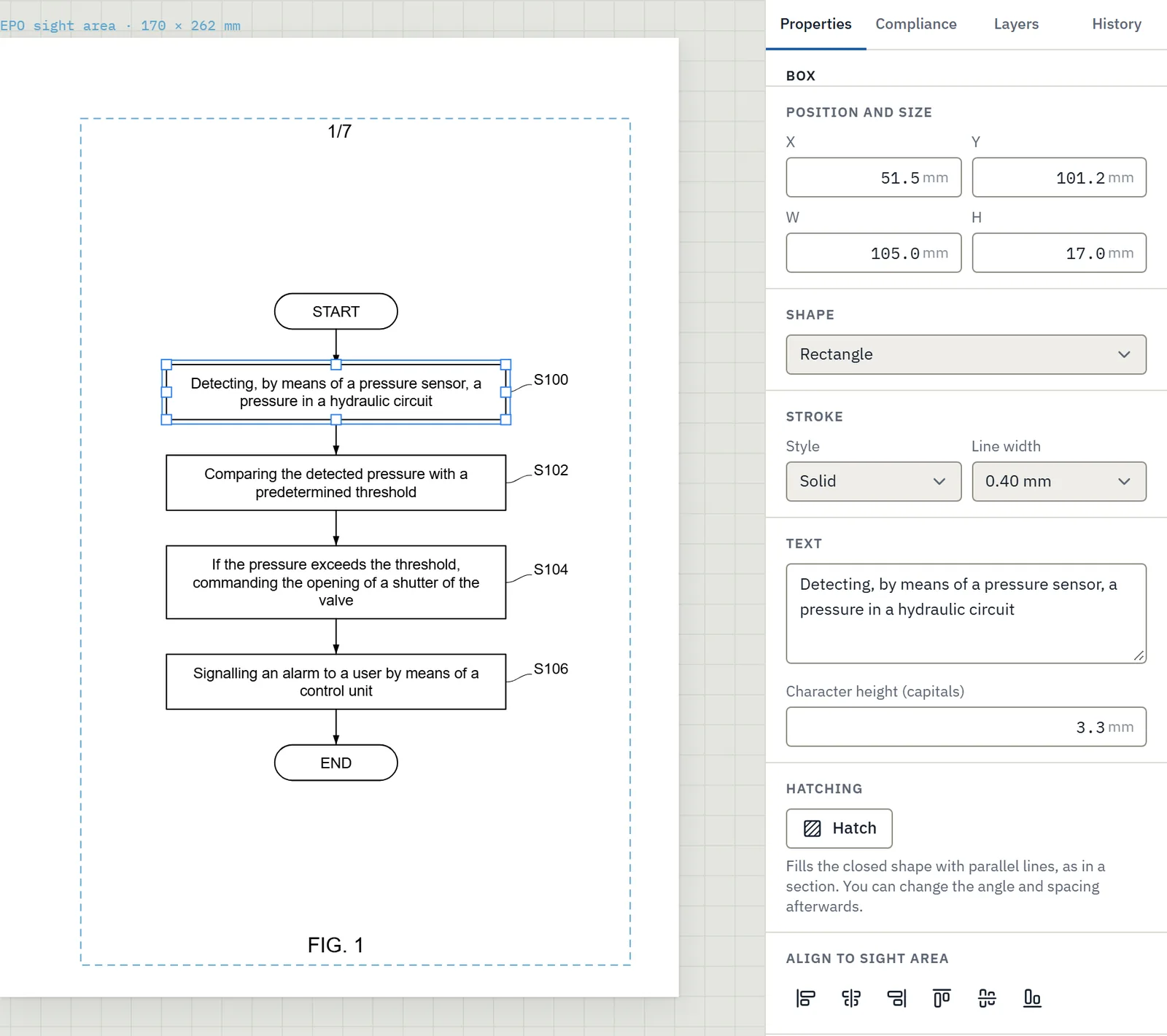
Patent flowchart generated from method claims, with steps numbered S100 to S106, open in the Inklaim editor
The flowchart derived from the method claims, open in the editor.

From a sketch

From the inventor’s sketch to a line drawing

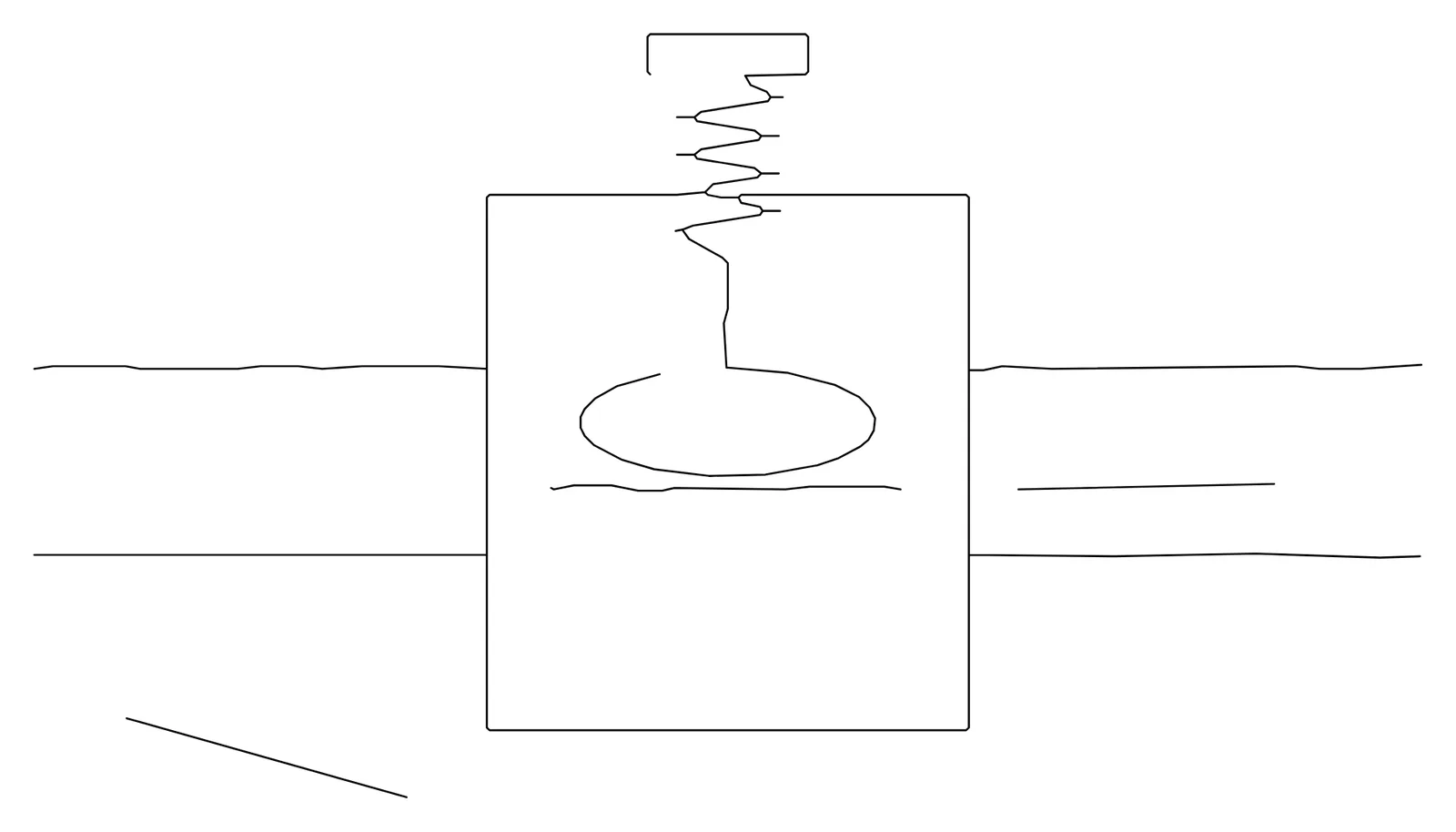
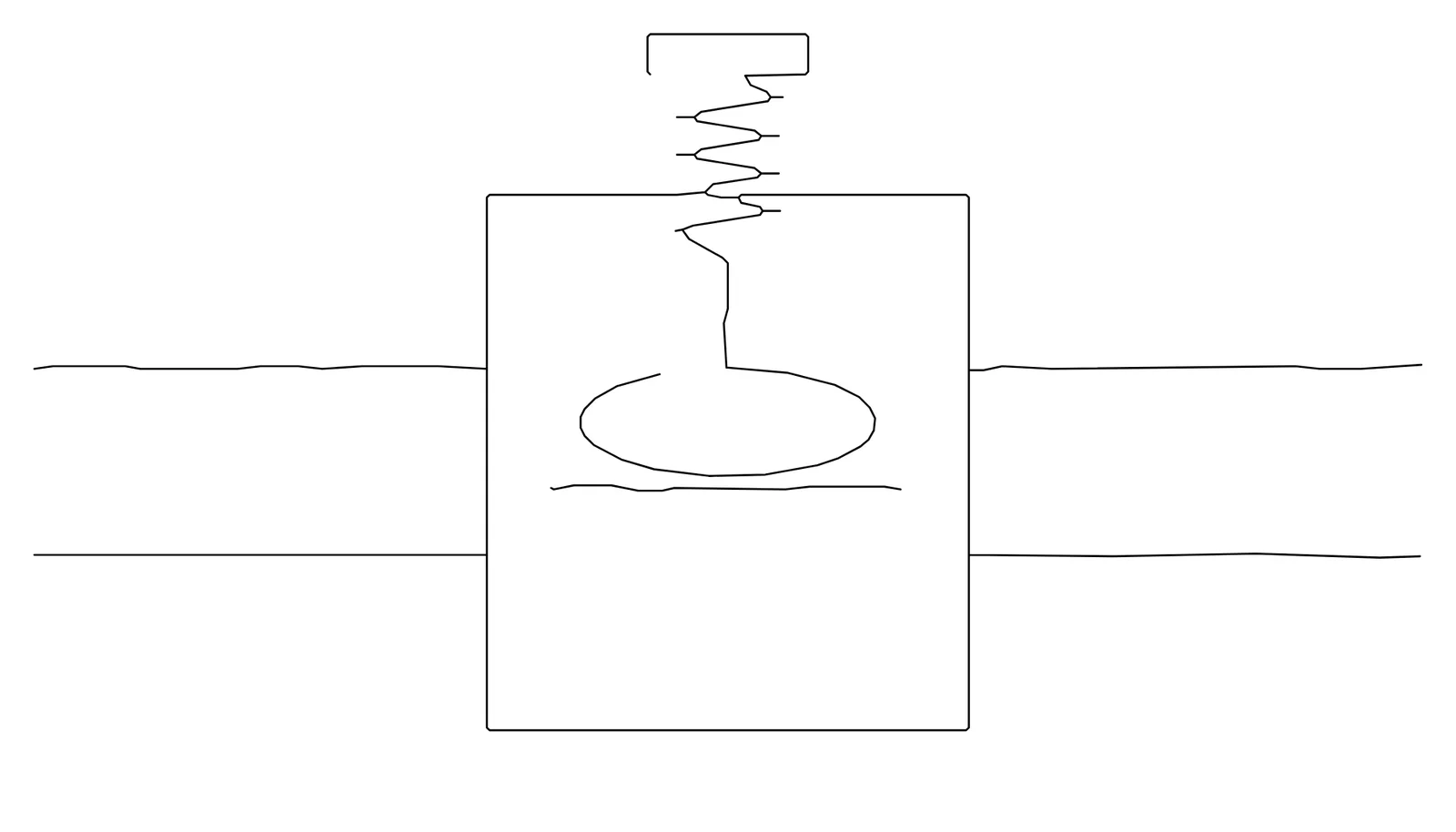
Upload a sketch and Inklaim turns it into a line drawing (beta feature). The lines follow the sketch: none is invented.

Traced inventor sketch with two stray marks, before using the eraser
Before: the traced sketch with two stray marks.
The same sketch after the eraser: the stray marks have been removed from the line drawing
After: the marks removed with the eraser on the traced paths.

On the traced paths you work with the eraser and scissors, “Split strokes”, “Join” and the “Simplify” slider. If AI is on, it can propose the reference numerals for figures from a sketch: you confirm them.

From photos of an object (beta)

No 3D model from the client? Two or three photos will do

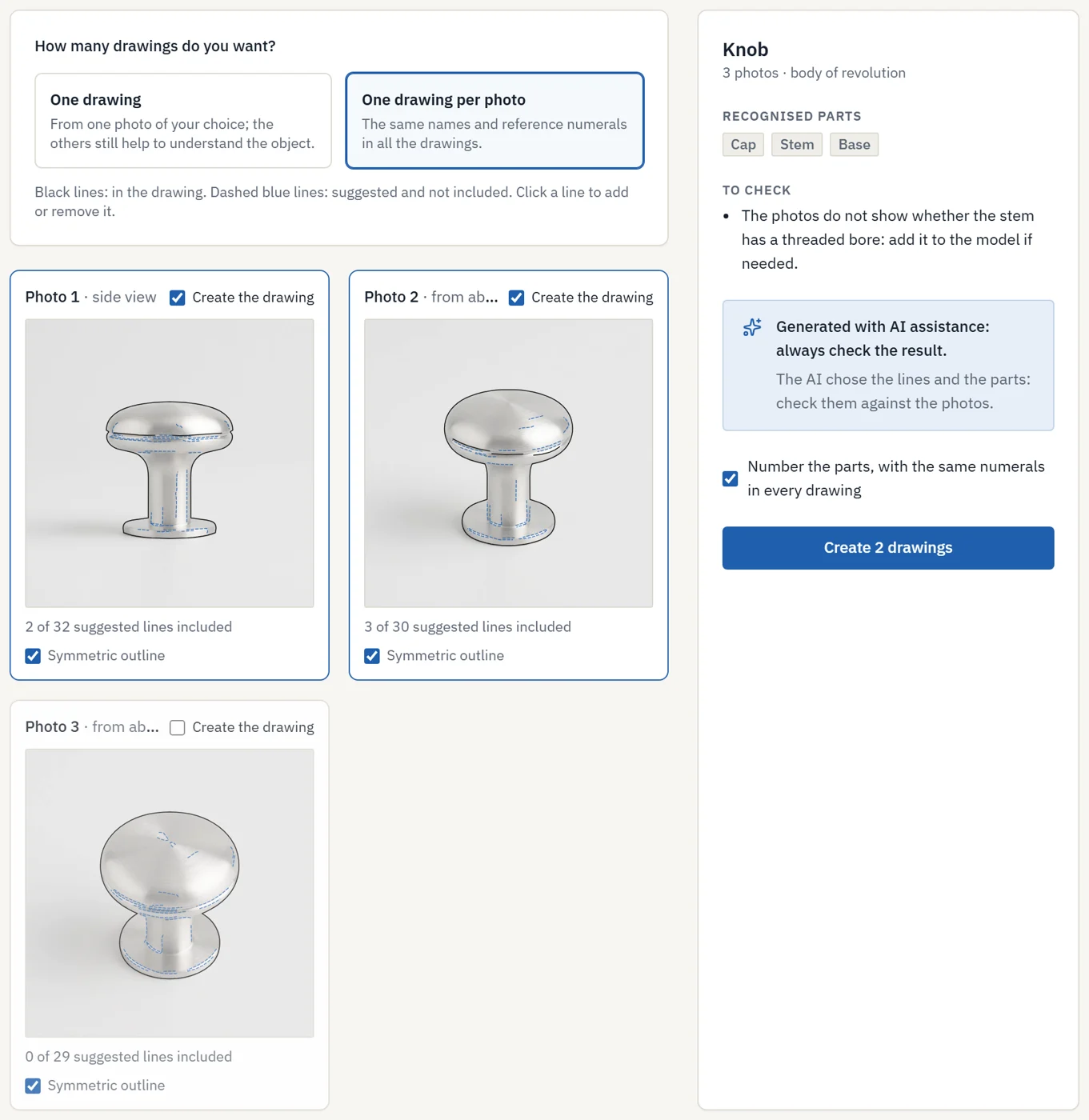
From 1 to 8 photos of the same object (PNG, JPG or WebP), even of shiny metal: Inklaim separates the object from the background with a clean outline and proposes the inner lines. The lines always come from the photos: none is invented.

Three photos of a knob with the outline, kept lines in black and suggested lines in dashed blue
The photos read together: in black the lines in the drawing, in dashed blue those only suggested.
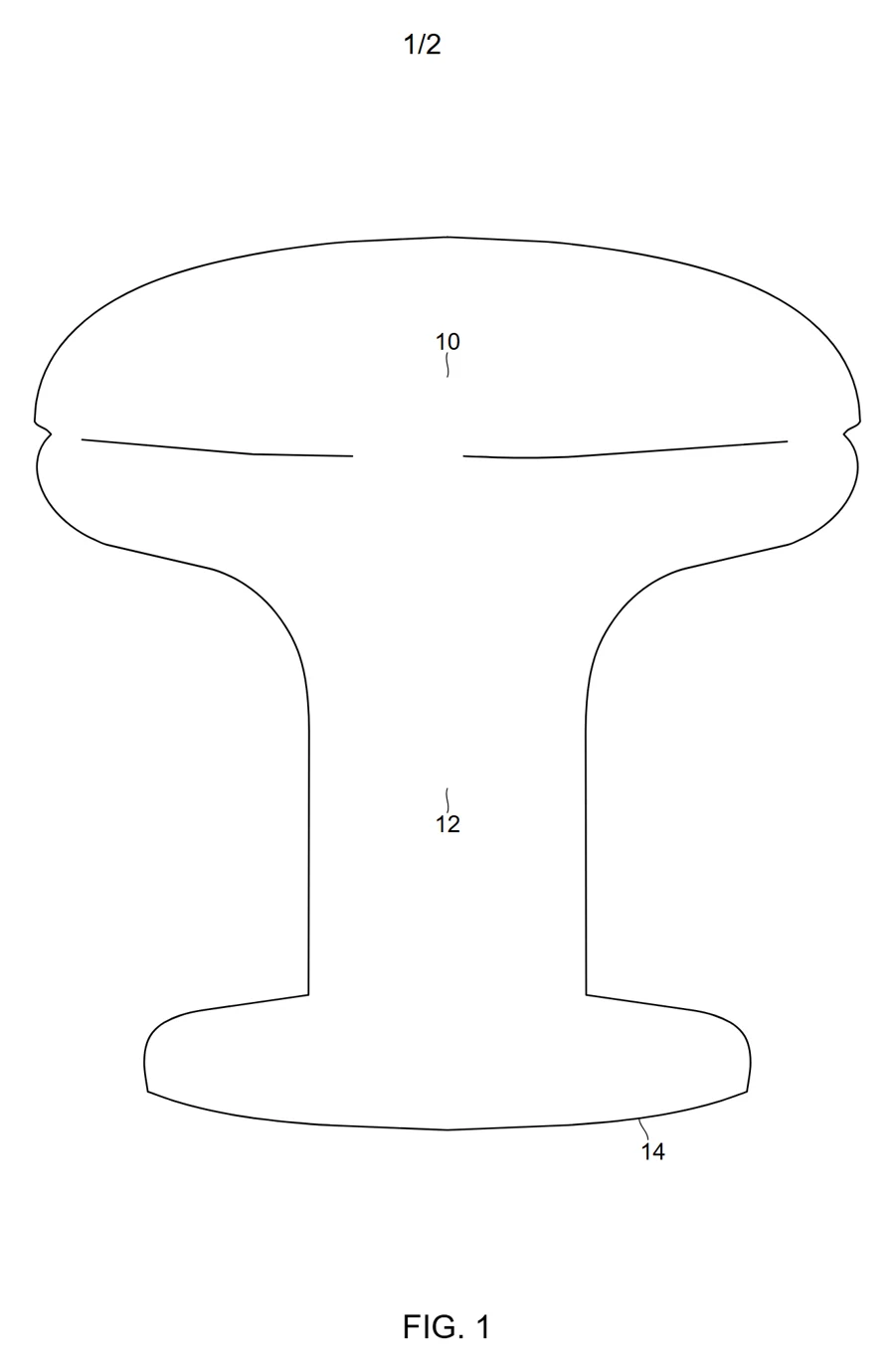
Line drawing of the knob derived from the photo, with reference numerals 10, 12 and 14
The drawing from the side photo, with the part numerals.

The AI only chooses among the lines proposed from the photos. The model’s measurements come from the outlines in the photos: the AI only says what the object is like. The inside (bores, undercuts) cannot be seen in photos and is entered by hand. The images show a sample photo and a sample AI reading.

The editor

A figure editor in millimeters

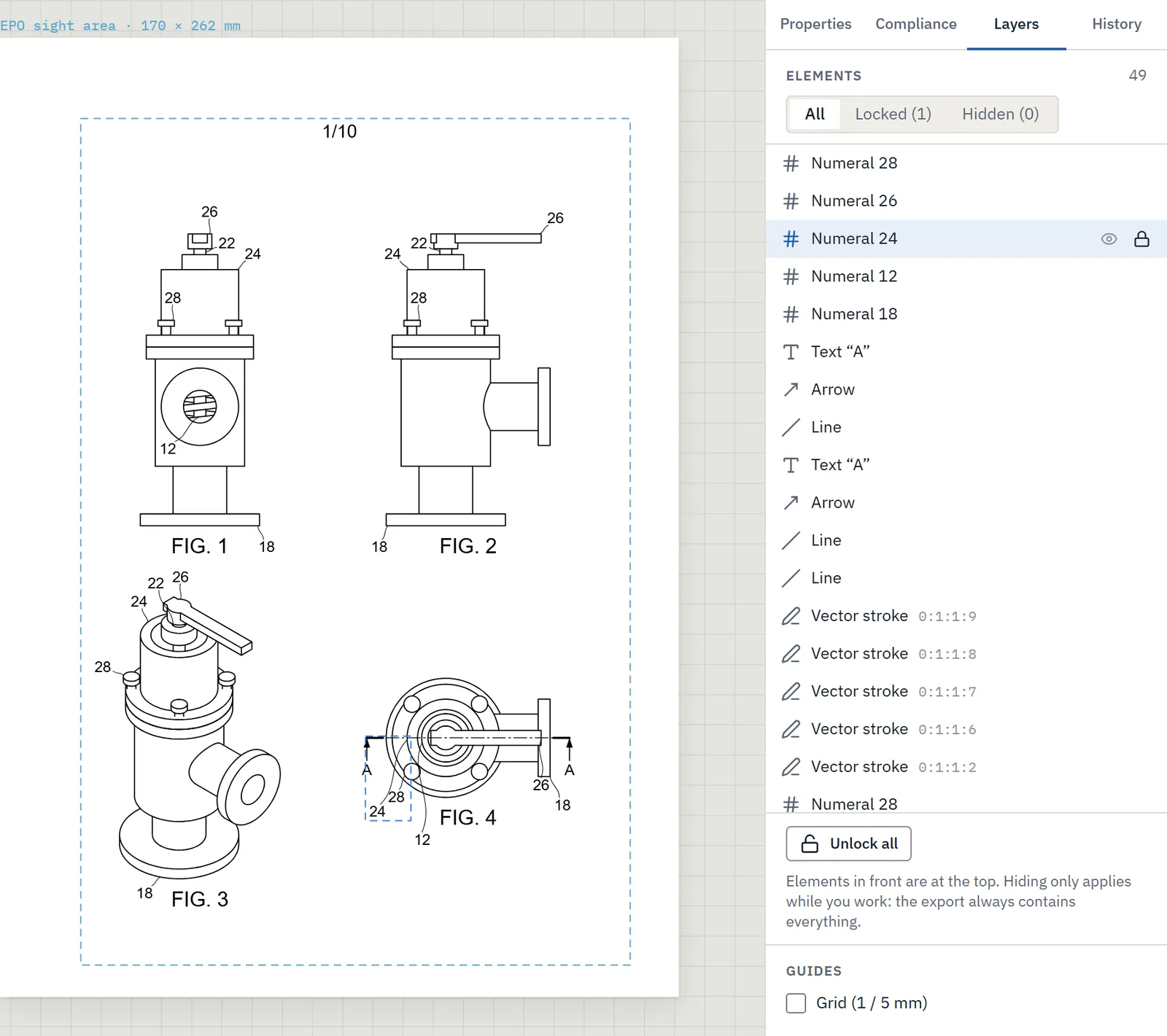
  • Circle, arc, polyline, curve and hatching of closed areas.
  • Align and distribute, layers, lock and hide.
  • Version history for every figure, with preview and restore.
  • The matter’s list of reference numerals, shared between text and figures.
Patent drawing editor with the Layers panel: locked and hidden elements on a sheet of valve figures
The Layers panel: locked and hidden elements.

Text and export

From the Word file to the sheet for filing

Import from Word

Upload the Word file with the claims and description: Inklaim recognizes the sections and shows them in a preview before importing them into the matter.

Export

PDF ready for filing, SVG, layered DXF to continue in AutoCAD, and a ZIP of the whole matter. You choose the language of the texts at export: the drawing stays one, and the numerals do not change.

Office profiles

EPO, UIBM, USPTO, PCT, CNIPA (China) and KIPO (Korea): each with its own usable area, minimum character height, labels (FIG. 1, 图1, 도 1) and sheet numbers. The UIBM, for example, requires margins of at least 2.5 cm on all sides; for China and Korea there are also the images for online filing, one per view, in black and white at 300 dpi.

EPOUIBMUSPTOPCTCNIPAKIPO

Firm roles

Administrator, patent attorney, draftsperson and reviewer. The reviewer views and approves without editing.

Nothing to install

Inklaim runs in the browser, in Chrome or Edge. Data is stored in the European Union on all plans: the details are on the security and data page.

FAQ

Questions about the features

Does Inklaim open SolidWorks, Inventor or Creo files?

Not native files: export the model to STEP or IGES and upload it. Inklaim is tested on real files exported from SolidWorks, Inventor and Siemens NX, including assemblies and models in inches. DWG files must be saved as DXF.

Can I continue working in AutoCAD?

Yes. Export the sheet as a layered DXF and open it in AutoCAD. For filing, you can export the PDF for the chosen office directly.

Do the features work without AI?

Yes. CAD views, 2D import, flowcharts, checks and numbering work with AI switched off. AI adds glossary-based translation and proposed numerals for you to confirm.

Which patent offices does Inklaim support?

EPO, UIBM, USPTO, PCT, CNIPA (China) and KIPO (Korea). For each one, Inklaim applies the usable area, character height, labels and sheet numbers; for CNIPA and KIPO it also prepares the images for online filing. The JPO is not built in yet. The sheets remain drafts: the final check is the patent attorney’s.

The pilot

Try the features on three matters from your firm

A 4-week pilot with 3–6 people, on matters already filed and published, after a non-disclosure agreement. Together we compare time and quality.

English Deutsch Español Français 日本語 한국어 中文