Inklaim Security and data

Security and data

Your patent matter data is stored in the European Union

With Inklaim, the application, database, uploaded files and backups are in the European Union, on every plan. AI is optional, uses Google Cloud with processing in the EU and does not draw geometry. Each firm is isolated from the others and can export or delete its own data; Inklaim processes matter data as a data processor under Art. 28 GDPR.

Updated October 2026

Where the data is

Where do the files of a matter end up?

The application, database, uploaded files and backups stay in the European Union, on every plan, from the free trial to Enterprise. Traffic between the browser and the server goes through a content delivery and protection network (CDN), which routes it and shields it from attacks and abuse without storing the content of matters. Artificial intelligence is a switch for each firm: if it is off, no content goes to the AI provider; if it is on, requests go to Google Cloud with processing in the EU.

Inklaim is web software from an Italian start-up founded in Turin that prepares draft patent drawings, checked against EPO, UIBM, USPTO, PCT, CNIPA and KIPO rules, from 3D CAD models (STEP/IGES), DXF or vector PDF files, photos of an object, sketches and claims.

WhatWhereWhen
Application and databaseEuropean Unionalways, on all plans
Uploaded files (STEP, IGES, DXF, PDF, Word)European Unionalways, with size and type limits
BackupsEuropean Unionalways
Traffic between browser and servercontent delivery and protection network (CDN), at the data centre nearest to the person connectingalways, encrypted over HTTPS; the content of matters is not stored
AI requestsGoogle Cloud, processing in the EUonly if the firm switches AI on
Own installationyour organization’s serverson the Enterprise plan, by agreement

The content delivery network is based in the United States: the data transfer is based on the adequacy decision for the EU-U.S. Data Privacy Framework and on the standard contractual clauses, as explained in the platform’s privacy notice. Your plan doesn’t change where data is stored: the same infrastructure applies to the €49 per-matter plan and to firms with many seats. See the pricing of all plans.
Artificial intelligence

What AI does in Inklaim, and what it doesn’t

The lines on the drawing sheets come from your files: CAD views, DXF and PDF import and line drawing are deterministic. AI works on texts and makes proposals; the draftsperson and the patent attorney decide.

What it does, if you switch it on

  • Translates figure texts following the matter’s glossary and the existing translation of the claims.
  • Proposes reference numerals for figures from a sketch or photo, for you to confirm.
  • Runs an optional visual check between the views of the matter.
  • Flags every generated or modified content in the app and in the metadata of exported files, with nothing visible on the sheet.

What it doesn’t do

  • It does not draw geometry or invent parts of the invention.
  • It does not decide on its own: proposed numerals and checks remain to be confirmed.
  • With the switch off, it receives no content at all.
  • It does not replace the patent attorney: responsibility for the filing stays with the firm.

One switch per firm

The firm switches AI on or off for everyone with a single switch. Inklaim also works without it, flowcharts and block diagrams included.

Monthly limit and visible usage

Each firm has a monthly limit of AI requests and sees how much it has used. No surprises at the end of the month.

Google Cloud’s commitments

Google states that it does not use customer data to train or fine-tune AI models without their permission. Google’s certifications belong to Google, not to Inklaim.

Access and isolation

Can another firm see my matters?

No. One firm’s data is never visible to another, down to the database, thanks to row-level security rules.

  • Passwords stored with Argon2, email address confirmation, sessions that expire.
  • Password recovery with single-use, expiring links and limits on sign-in attempts.
  • Roles: administrator, patent attorney, draftsperson, reviewer. The reviewer views and approves without editing.
  • HTTPS-only connections.
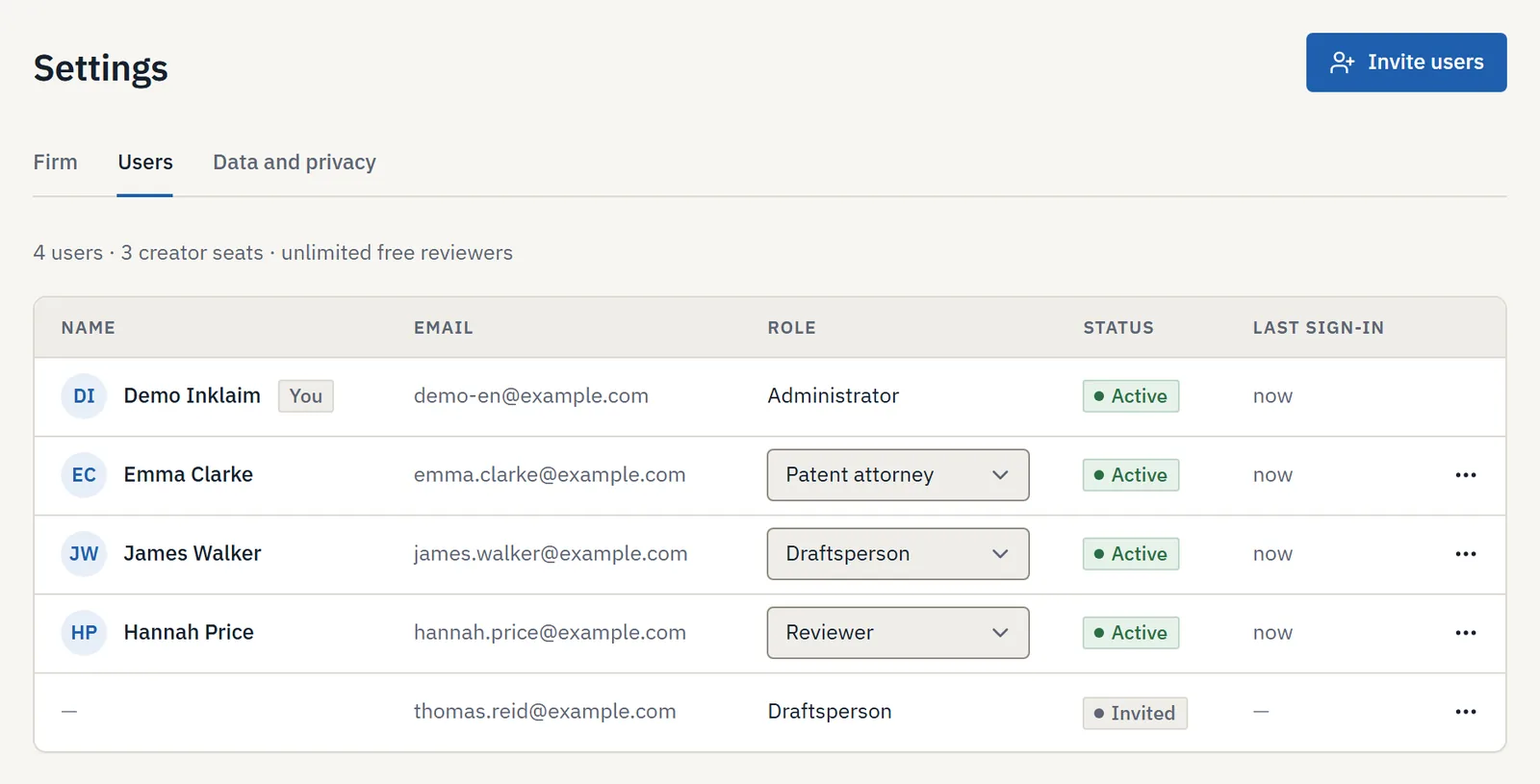
IP firm users and roles in Inklaim: administrator, patent attorney, draftsperson and reviewer
Every person in the firm has their own role.

Files and logs

What happens to the files you upload?

A STEP model contains the whole invention. That is why files are handled under strict rules, from upload to logs.

Controlled upload

Uploaded files with size and type limits, over HTTPS connections only.

Separate processing

CAD models and 2D drawings are processed in separate processes, with time and memory limits.

Logs without matter data

No texts or drawings of your matters end up in error logs.

Traceability

Who changed what, and when

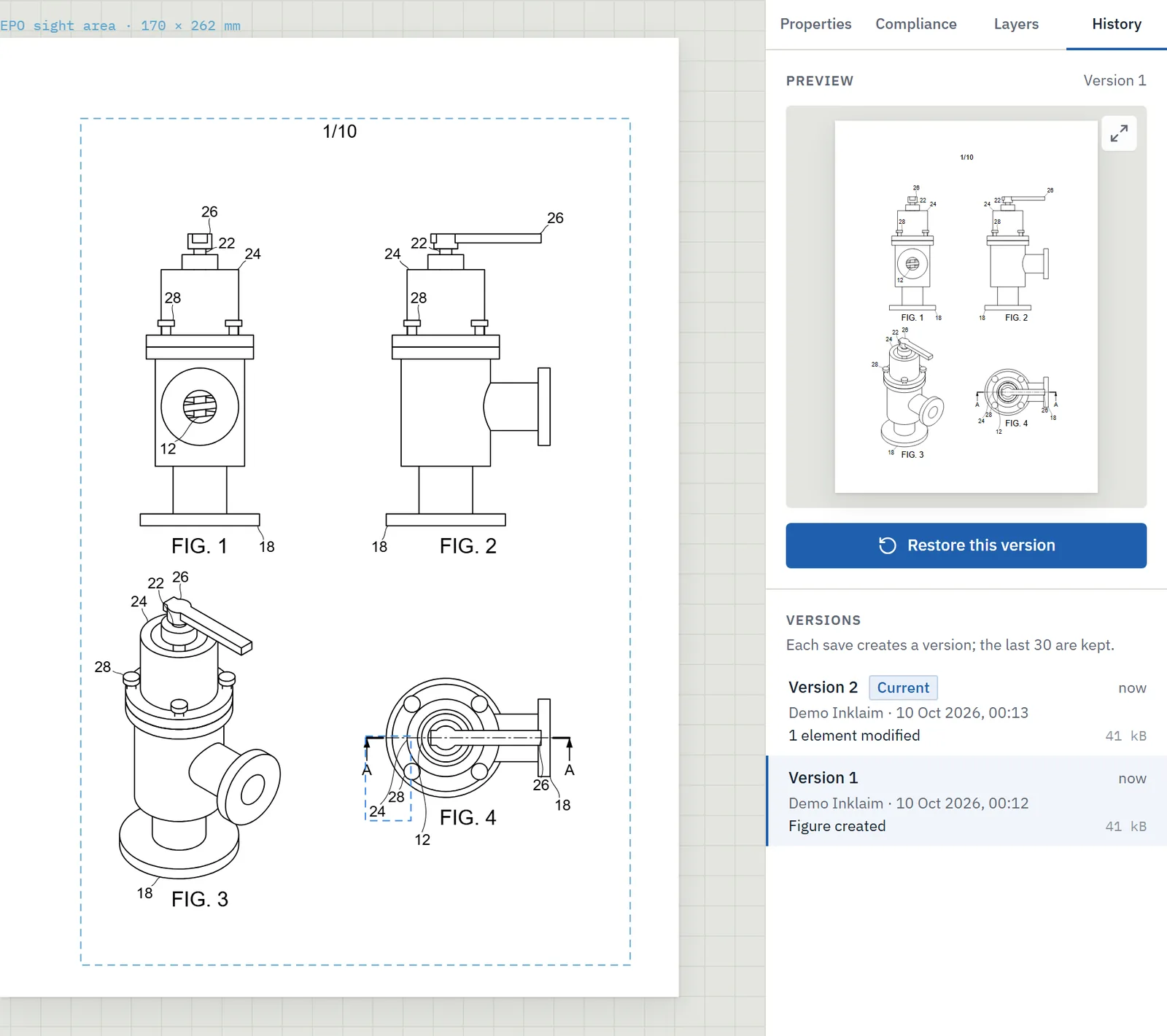
Every figure has its own version history, with author, date, preview and restore. The activity log keeps track of the work in the firm.

When the patent attorney reviews a drawing sheet before filing, they open earlier versions in preview and, if needed, restore one.

Version history of a patent drawing sheet with four valve figures: each version with author and date, preview and restore button
The version history of a figure, with restore.

GDPR and confidentiality

Your data remains yours

Your firm is the controller of the matter data; Inklaim processes it on your behalf.

Data processor

Inklaim processes matter data as a data processor on behalf of the firm, under the agreement required by Art. 28 GDPR.

Export and deletion

You can export all of the firm’s data and delete the entire firm or a single account.

Before filing

The pilot starts from matters already filed and published. Unpublished matters come in only after a written agreement.

How we process the personal data of Inklaim users and website visitors is explained in the privacy policy.

For large organizations

If your IT asks for more

With the Enterprise plan, by agreement, you add three options to everything described above.

Single sign-on

Sign-in with the company account, managed where IT already manages user accounts.

Your organization’s servers

Inklaim installed in your infrastructure: CAD files stay in-house.

Your own AI endpoint

AI requests go to the service your company has already approved.

FAQ

Questions about security, data and AI

Where is Inklaim data stored?

In the European Union, on all plans: application, database, uploaded files and backups. With Enterprise you can also install Inklaim on your organization’s servers.

Are matter files used to train the AI?

Inklaim uses Google Cloud as its AI provider; Google states that it does not use customer data to train or fine-tune models without their permission. With AI switched off, no content goes to the AI provider.

Can I use Inklaim without artificial intelligence?

Yes. AI is a switch for each firm. CAD views, DXF and PDF import, checks, numbering and flowcharts also work with AI switched off.

How can you tell that content was made with AI?

It is flagged in the app and in the metadata of exported files, as required by Art. 50 of the EU AI Act. Nothing visible appears on the sheet.

How do I delete my firm’s data?

You can export all of the firm’s data and then delete the entire firm, or delete a single account.

Does Inklaim have certifications such as ISO 27001?

No, Inklaim does not claim any certifications of its own. This page lists the measures we apply. Google Cloud’s certifications concern Google, not Inklaim.

More answers in the Inklaim FAQ.

The pilot

Try Inklaim without exposing confidential matters

The 4-week pilot uses 3 matters already filed and published, after a non-disclosure agreement has been signed. 3–6 people from your firm, with time and quality compared together.

English Deutsch Español Français 日本語 한국어 中文